VHCC Mobile App Guide

How It Works

Download the VHCC mobile application, create your patient account, verify your access, and start using virtual healthcare services from your device.

Download the App Use the App Store or Google Play Store to install the VHCC application.
Create Your Account Register with your personal information and preferred verification method.
Verify & Start Enter your OTP code and access the full VHCC virtual healthcare experience.
Step 1

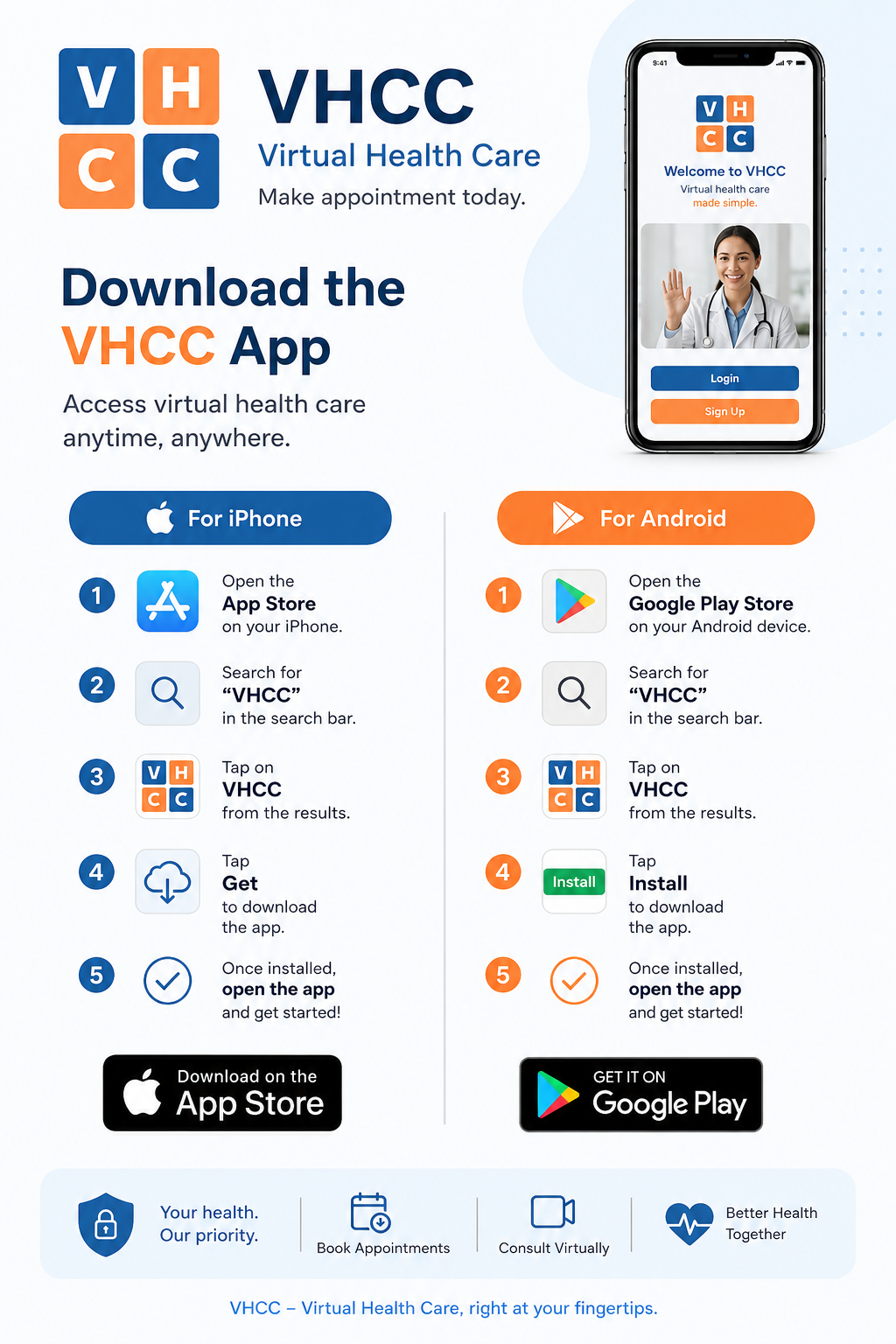
Download the VHCC App

Follow this guide to install the application on iPhone or Android.

iPhone & Android
VHCC app download tutorial for iPhone and Android
Step 2

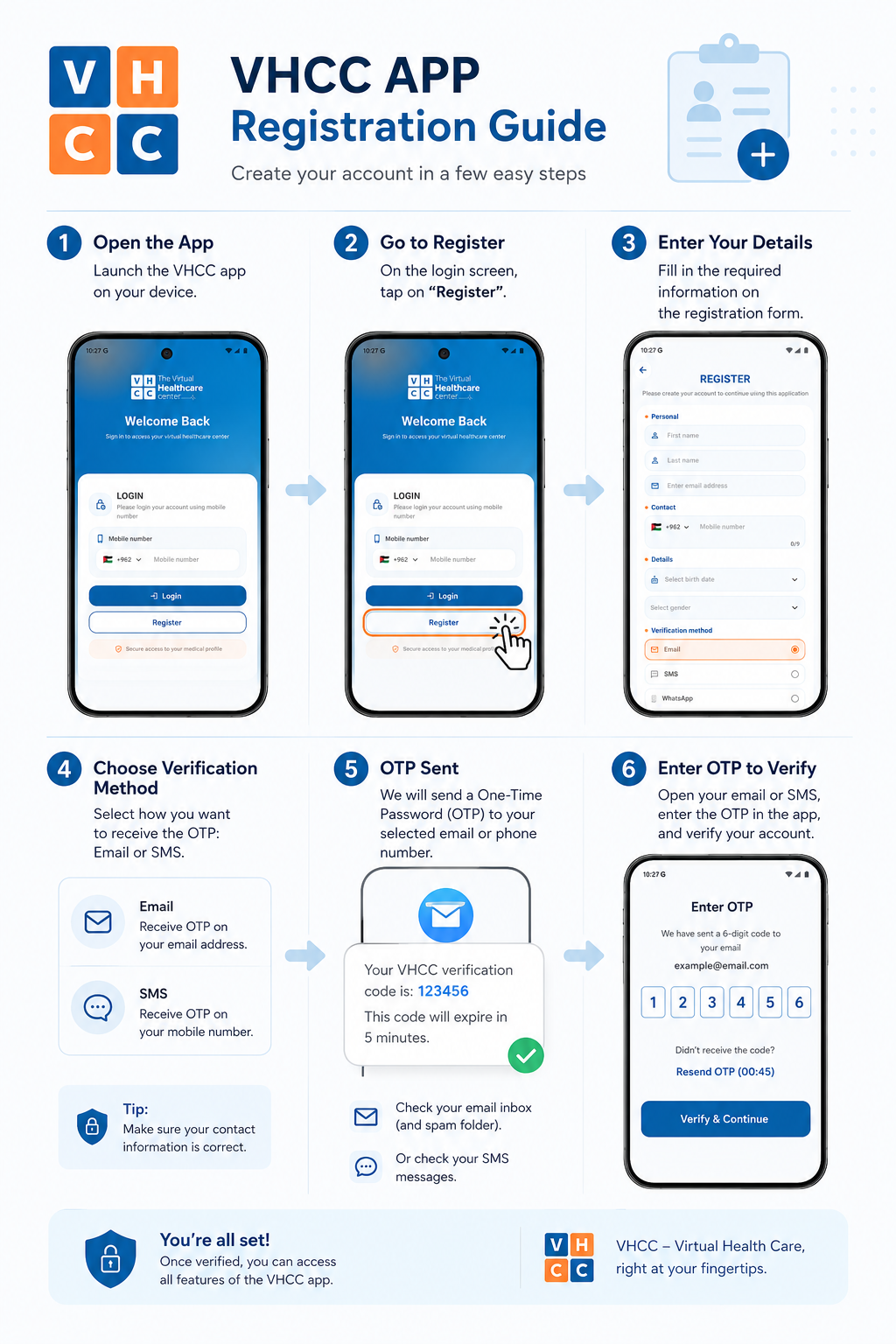
Register Your Account

After downloading the app, create your account and verify it using OTP.

Email / SMS OTP
VHCC app registration and OTP verification tutorial

Need help getting started?

Contact The VHCC team and we will guide you through downloading, registering, and using the app.

Contact Us